
Executive summary
This chapter as a clean, readable HTML page.
The “Executive summary” chapter of the Operating Manual, reproduced as a real HTML page. Anything unclear? Open the original PDF of just this chapter (pages 16-18) (also pinned top-left). Hub: all chapters.
Marvelmind Indoor Navigation System is an off-the-shelf indoor navigation system that provides precise (±2 cm) location data to autonomous robots, vehicles (AGV), forklifts, and drones. It can also track moving objects via mobile beacons attached to them. Other applications include cranes, virtual/augmented reality (VR/AR) systems, helmets for construction workers or miners, etc. See more: Solutions.
The navigation system consists of a network of stationary ultrasonic beacons interconnected via a radio interface in a license-free band (915/868 MHz), one or more mobile beacons installed on objects to be tracked, and a modem or modems providing a gateway to the system from a PC or other computers. See more: Architectures.
Using the trilateration algorithm, a mobile beacon’s location is calculated based on a propagation delay of ultrasonic pulses (Time-Of-Flight or TOF) between stationary and mobile beacons.
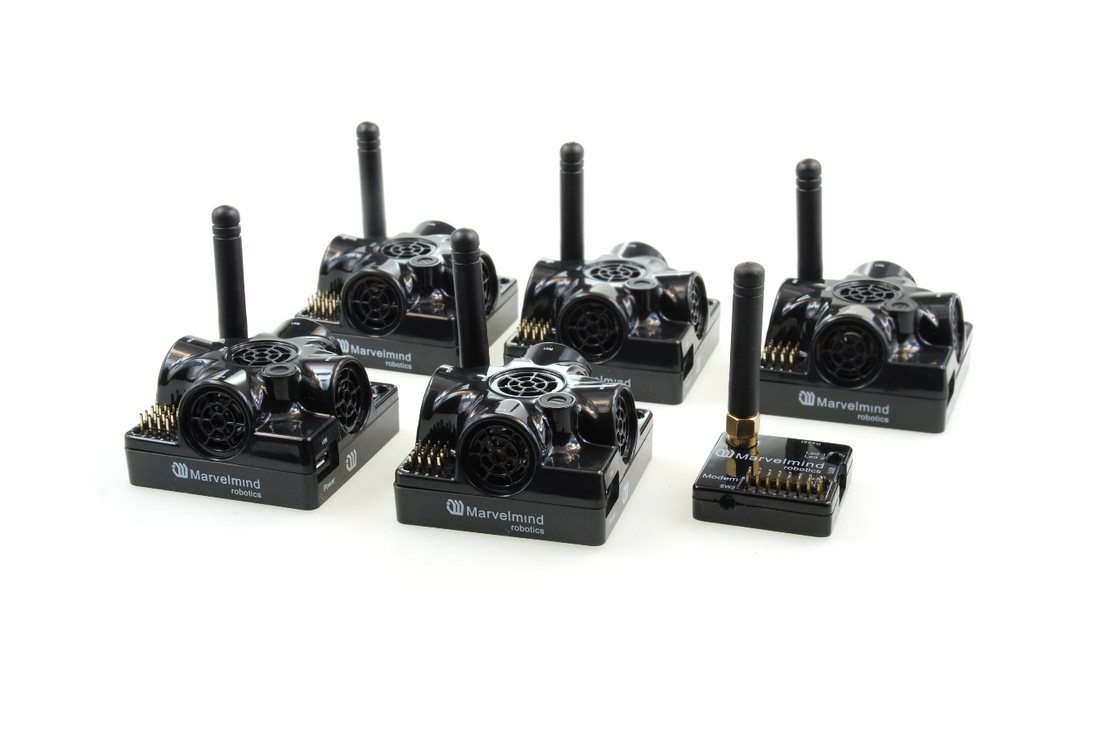 The system can automatically build a map of stationary beacons. In simple cases, no additional manual data input or any manual distance measurements are required. This map formed once can be frozen and stored in the modem’s memory, and the system becomes fully active within 7 to 10 seconds after the modem is powered.
Fig. 1: Example of Starter Set based on Super-Beacons
Minimum configuration requirements to ensure optimal performance of the Marvelmind Indoor Navigation System:
For 3D (X, Y, Z) tracking: an unobstructed line of sight (hearing) between a mobile beacon and 3 or more stationary beacons within 30 meters
For 2D (X, Y) tracking – an unobstructed line of sight (hearing) between a mobile beacon and 2 or more stationary beacons within 30 meters
For 1D tracking: an unobstructed line of sight (hearing) between a mobile beacon and 1 or more stationary beacons within 30 meters in standard configuration, or up to 100-150 meters with a Horn attachment (see Horn section)
Key Capabilities:
Technical Specifications | |
Distance between beacons |
|
Coverage area |
|
Location precision |
|
Location update rate |
|
Power supply | Internal: 1000mAh LiPo battery (Super-Beacon)
|
External: micro-USB – recommended for permanent use | |
Weight | Mobile beacon (Super-Beacon) from the starter set:
|
Beacon size | Size: 55x55x33 mm (with 50 mm antenna: 55x55x65 mm) (Super-Beacon)3 |
1,2,3 For other types of beacons, look to the comparison table
Legend
The legend chapter contains small icons and signs highlighting key text points.

 Important
 For experienced users
 Demo or Help video
- Useful link