Connecting to Marvelmind devices
This chapter as a clean, readable HTML page.
The “Connecting to Marvelmind devices” chapter of the Interfaces and Protocols, reproduced as a real HTML page. Anything unclear? Open the original PDF of just this chapter (pages 4-14) (also pinned top-left). Hub: all chapters.
For communication with Marvelmind devices (modem or mobile beacon (hedgehog)), it shall be connected to an external device (robot, copter, AGV, etc.) via any of the following interfaces:
- Connect to USB-host as an USB device of CDC class (virtual COM port in Windows, ttyACM or ttyUSB in Linux). In the Windows, it requires driver – the same driver as for modem. In Linux, the driver is not required, since the required driver is integrated into Linux kernel. Because real RS-232 is not used in the interface, parameters of serial port opened on the host (baudrate, number of bits, parity, etc) can be any.
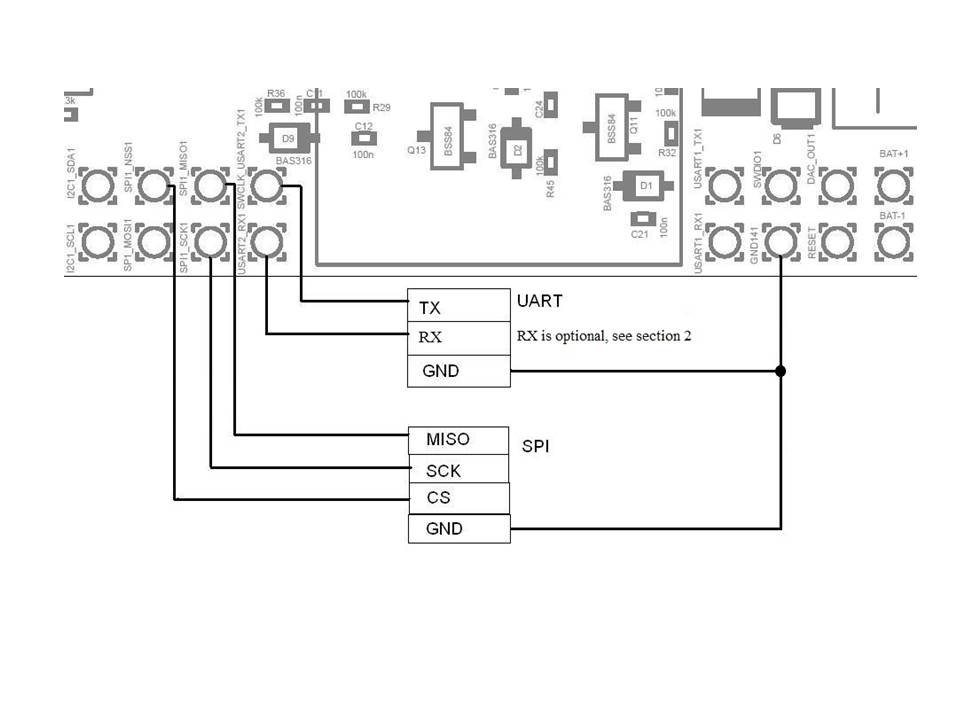
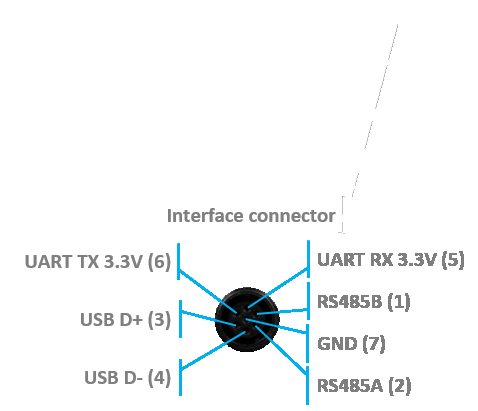
- Connect to UART – 2 wires soldering to pins for streaming or 3 wires for bidirectional communication required. See the picture of hardware interface below. Logic level of UART transmitter is CMOS 3.3 V. Default baudrate is 500 kbps, configurable from the Dashboard from following list: 4.8, 9.6, 19.2, 38.4, 57.6, 115.2, 500 kbps. Format of data: 8 bit, no parity, 1 stop bit.
- Connect to SPI. Marvelmind device acts as SPI slave device. Parameters of SPI: SPI mode 0, MSB inside each byte transmits first. Connection was tested on SCK speed up to 8 MHz. Be careful to provide quality wiring connections on high speeds (more than 500 kHz).
- Connect to RS-485 (for Super-Modem or Industrial Super-Beacon only).
- Connect to I2C (for Super-Beacon only).
- Connect to UDP via Wi-Fi (for Super-Modem) or any network connection (for Dashboard).
- Connect to CAN (for Industrial Super-Beacon, for Super-Modem supplied by request).
Connection settings summary:
Interface | Bitrate | Other settings |
USB (virtual UART) | UART bitrate is not applicable, serial port speed can be set to any value. Data transmitting via USB full speed (12 Mbit/s) | UART settings not applicable |
UART | 4.8, 9.6, 19.2, 38.4, 57.6, 115.2, 500 Kbit/s Can be selected in dashboard | 8 bits of data, 1 stop bit, no parity |
SPI | Tested up to 8 Mbit/s | SPI Mode 0 |
RS-485 | 4.8, 9.6, 19.2, 38.4, 57.6, 115.2, 500 Kbit/s Can be selected in dashboard (same as for UART) | 8 bits of data, 1 stop bit, no parity |
I2C | Up to 400 Kbit/s | |
UDP | According to network connection speed | |
CAN | 125 Kbit/s | Standard frame |
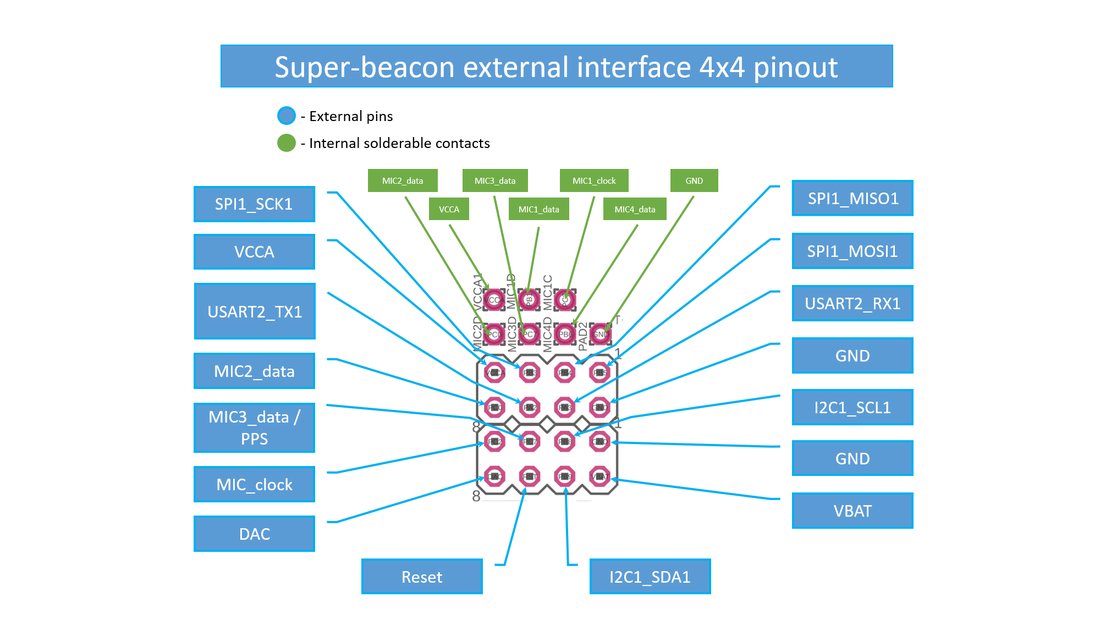
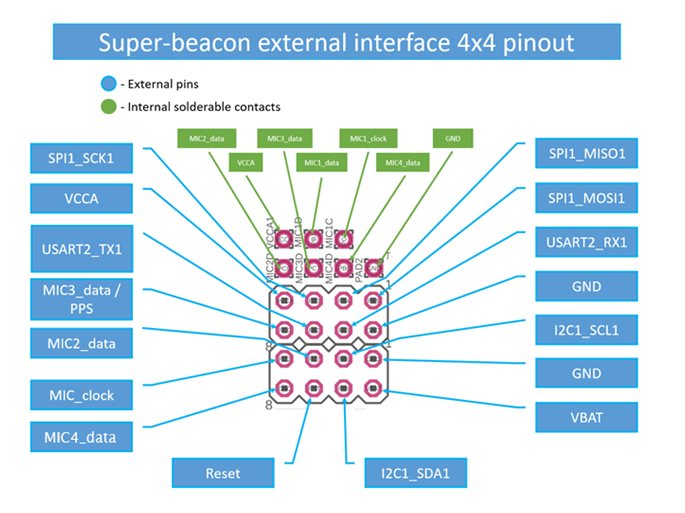
UART and other interfaces for Super-Beacon
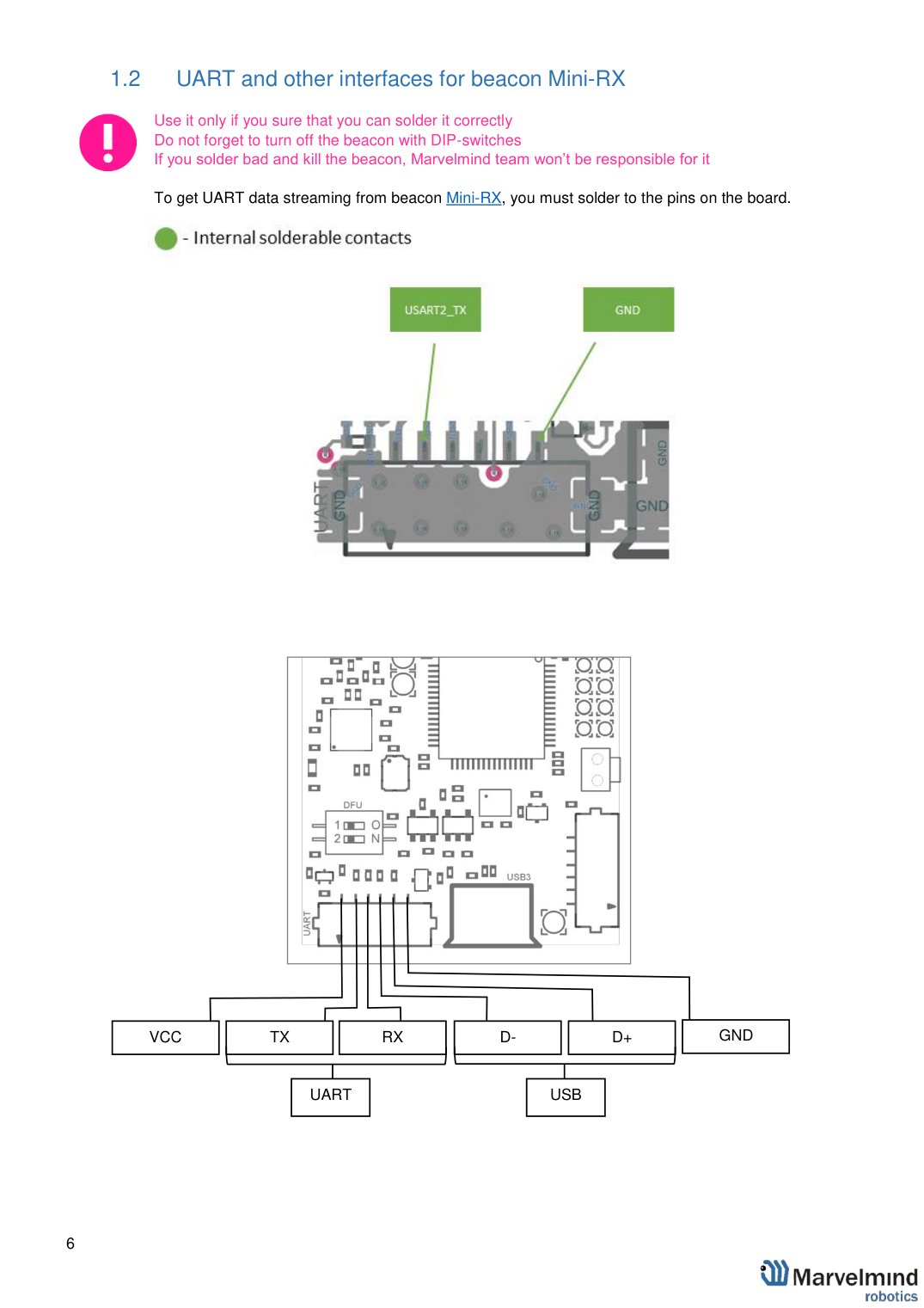
UART and other interfaces for beacon Mini-RX
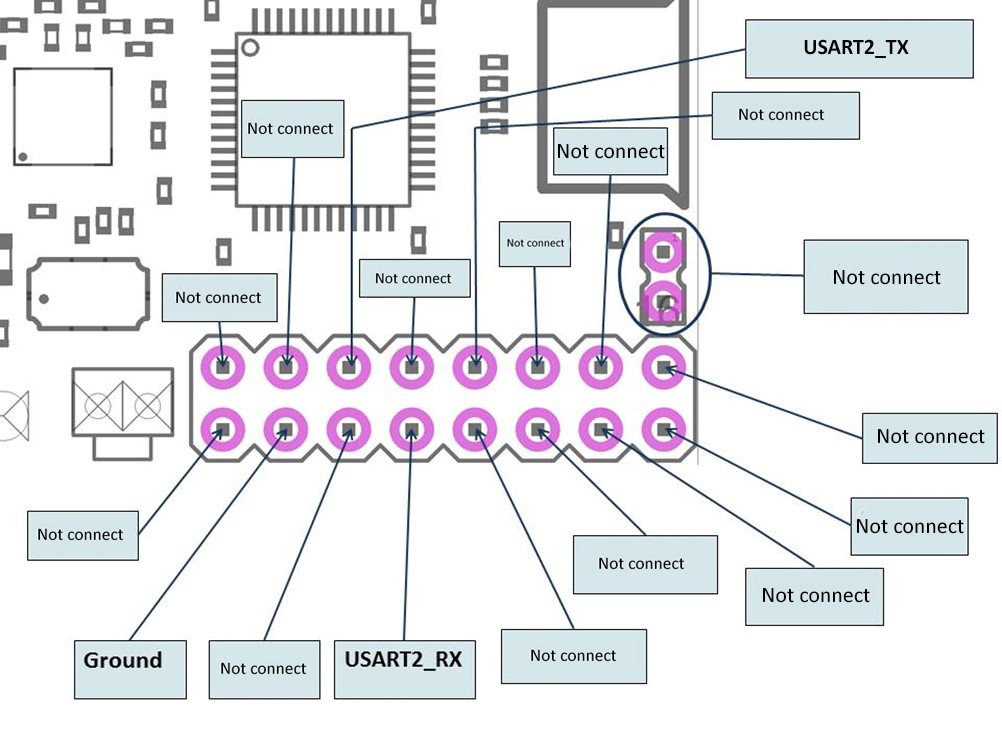
 Use it only if you sure that you can solder it correctly
Do not forget to turn off the beacon with DIP-switches
If you solder bad and kill the beacon, Marvelmind team won’t be responsible for it
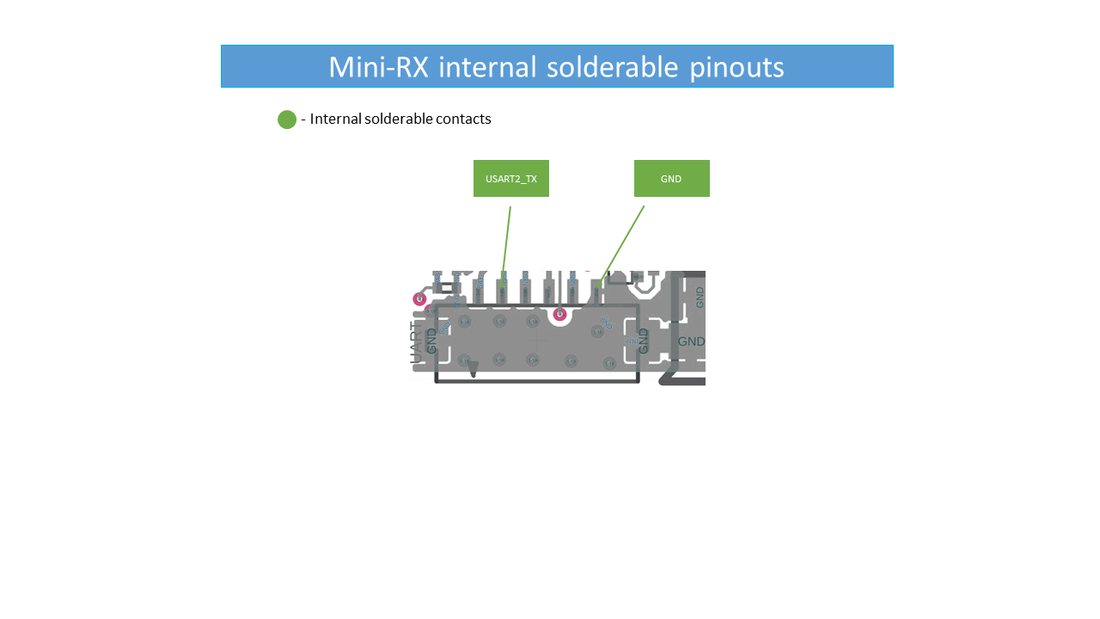
To get UART data streaming from beacon Mini-RX, you must solder to the pins on the board.
1.3. UART and other interfaces for beacon Mini-TX-2
Beacon Mini-TX-2 has a connector with the same pinout as beacon Mini-RX.
The UART cable can be used for connection to Mini-TX-2.
1.4. UART and other interfaces for Modem HW v5.1
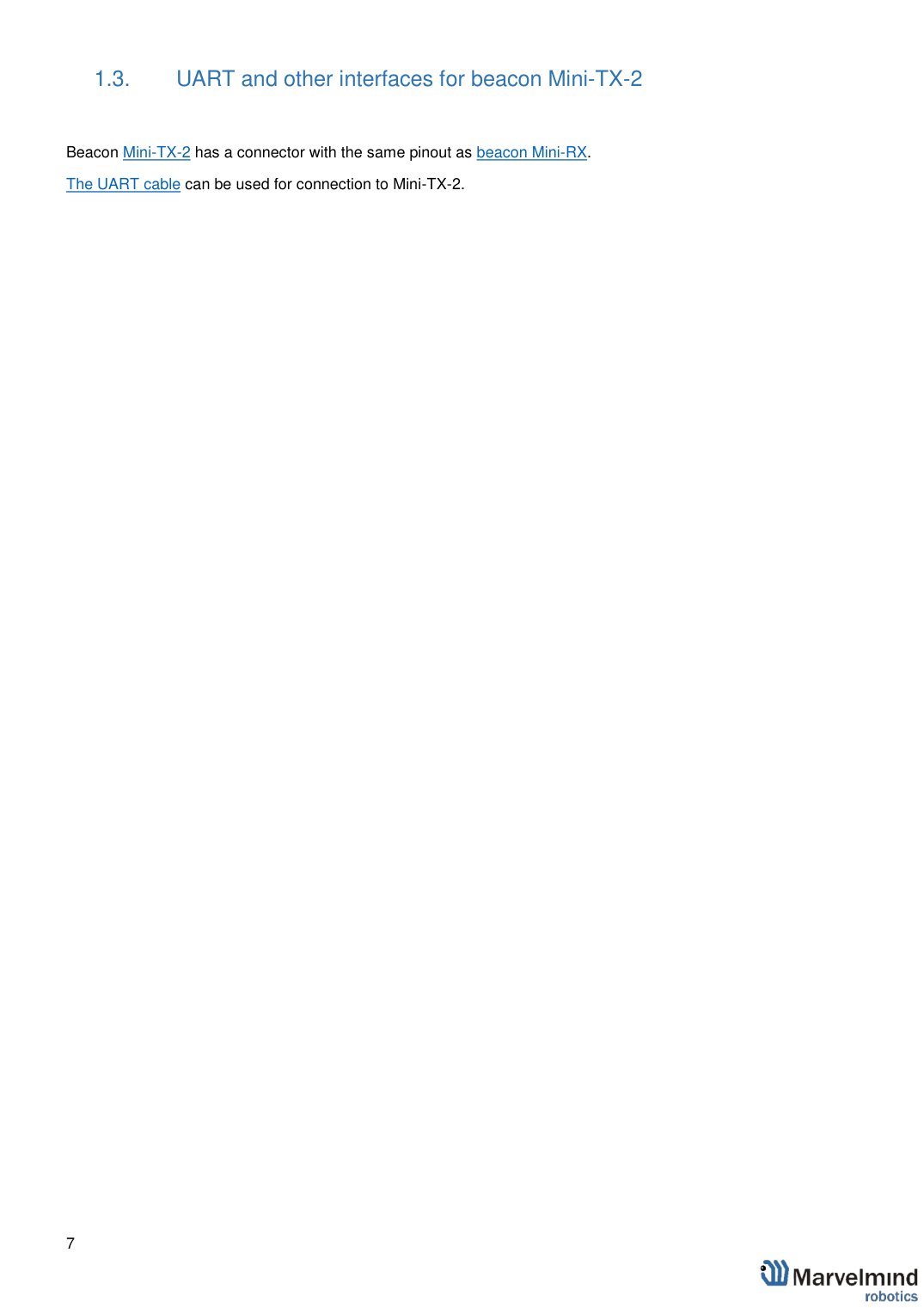
1.5. UART and other interfaces for Super-Modem
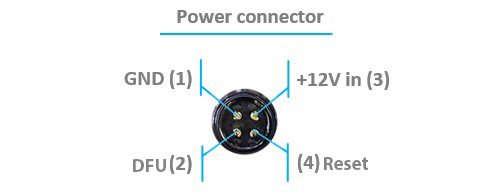
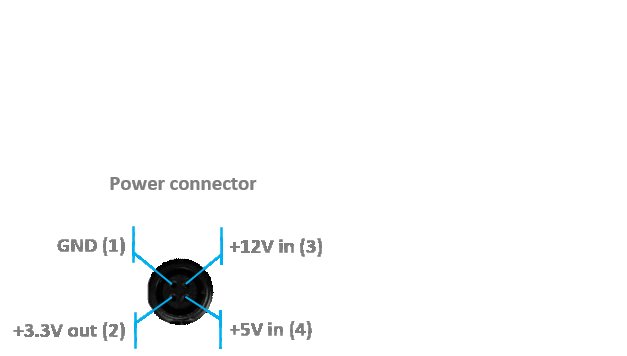
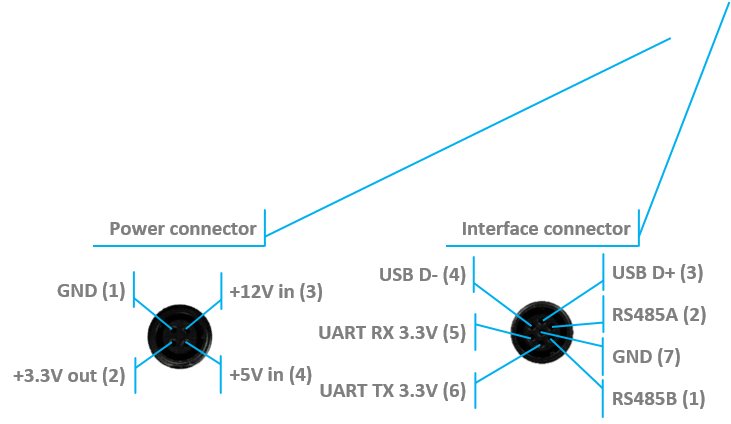
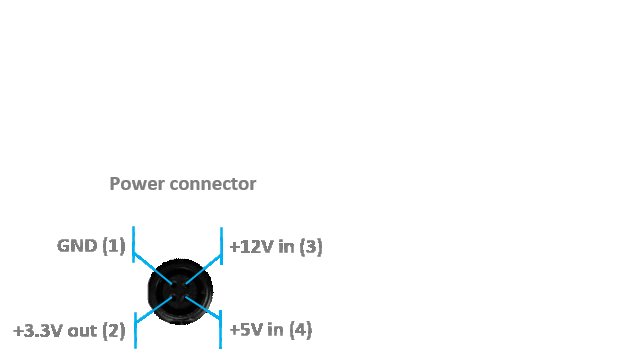
New Super-Modem (from June 2023) connectors pinout:
+5 V in (5)
+5 V in (3)
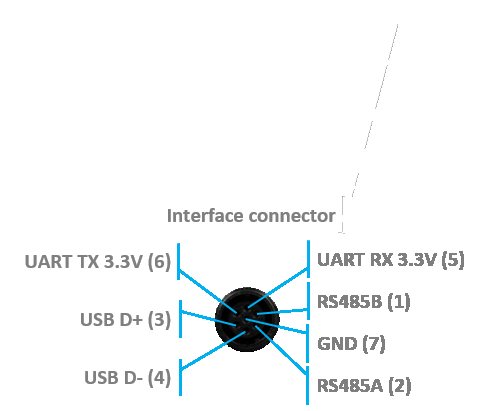
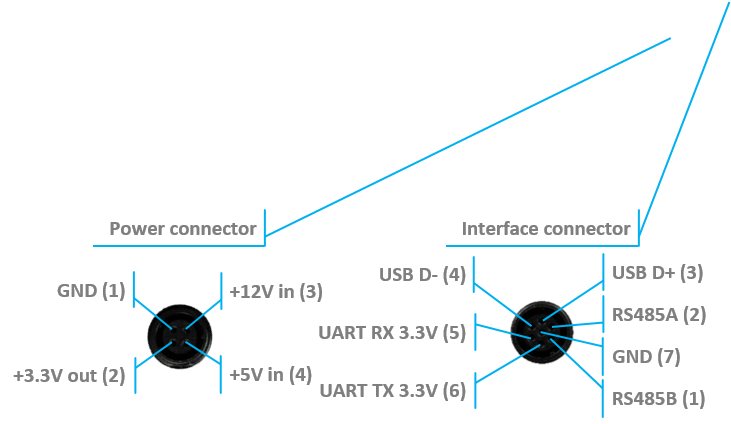
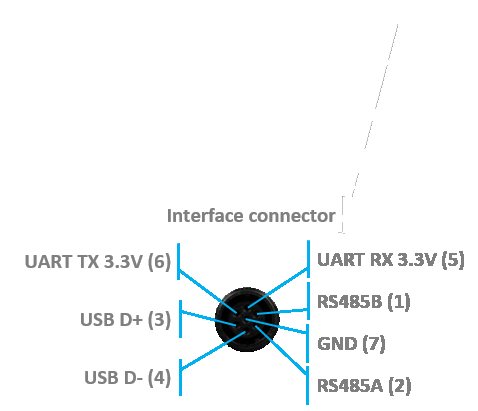
USB D+ (3)
USB D- (4)
RS485B (1)
Also Super-Modem includes onboard Wi-Fi interface. Confiieguration of the Wi-Fi connection is described in UDP chapter.
 New version of Super-Modem (from June 2023) supports ONLY +5 V power supply. Don’t use +12 V power supply converter for this version, it will burn the beacon!
- RS485 modification pinouts (After Sep.2019)
 New version of Super-Modem (from June 2023) supports ONLY +5 V power supply. Don’t use +12 V power supply converter for this version, it will burn the beacon!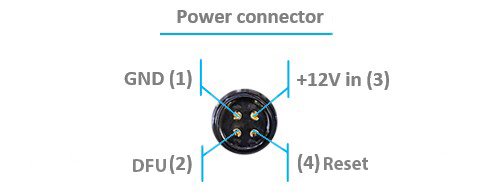
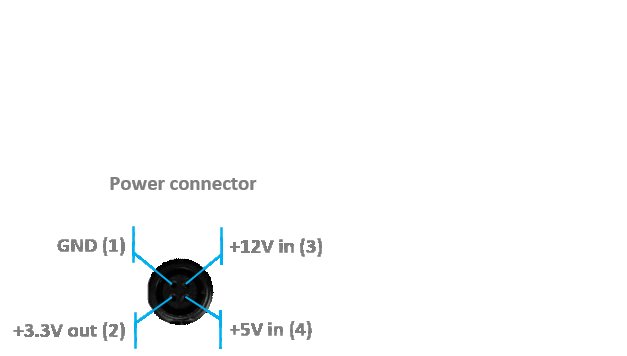
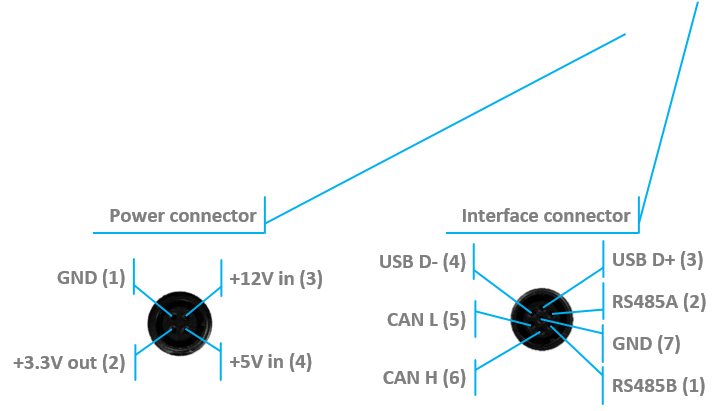
USB D+ (3)
USB D- (4)
RS485B (1)
1.6. UART and other interfaces for Modem HW v4.9
1.7. UART and other interfaces for Industrial-TX, Industrial-RX, Industrial Super-Beacon
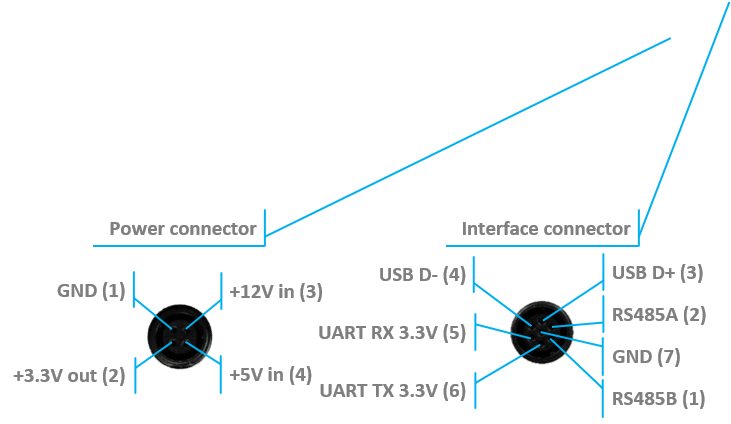 Modification (After June 2022) for versions 2 and 3
+5 V in (3)
+5 V in (5)
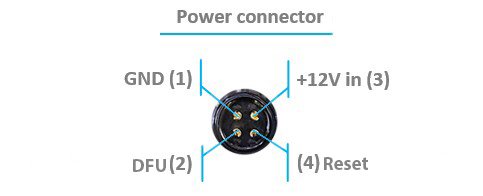
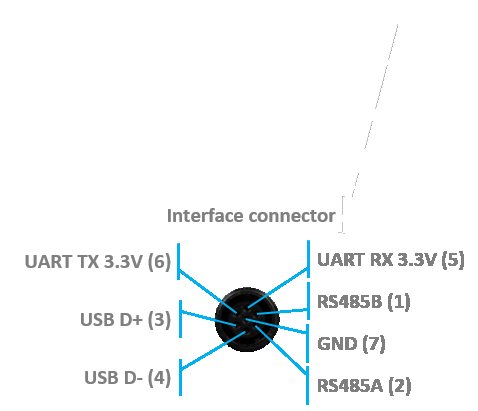
- Version 2 and 3 of Industrial-TX, Industrial-RX, Industrial Super-Beacon (from June 2022) supports ONLY +5 V power supply. Don’t use +12 V power supply converter for this version, it will burn the beacon!
- This version doesn’t have UART RX, but now is possible to use Interface connector as a power supply.
 Version 2 and 3 of Industrial-TX, Industrial-RX, Industrial Super-Beacon (from June 2022) supports ONLY +5 V power supply. Don’t use +12 V power supply converter for this version, it will burn the beacon!
RS485 modification pinouts (After Sep.2019)
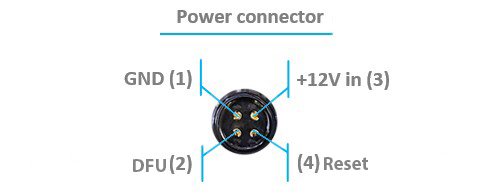
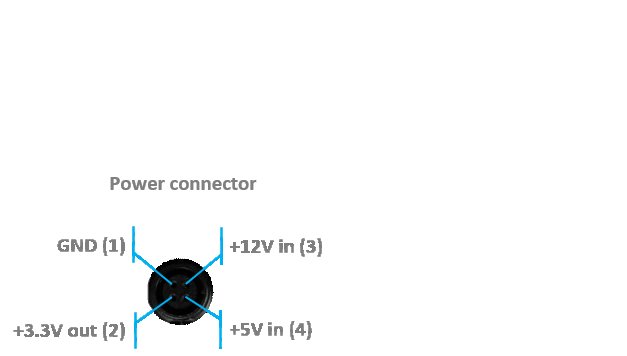
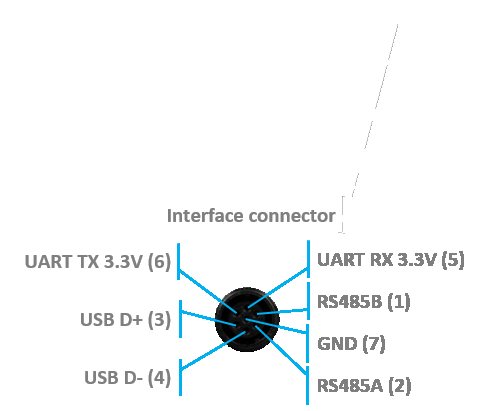
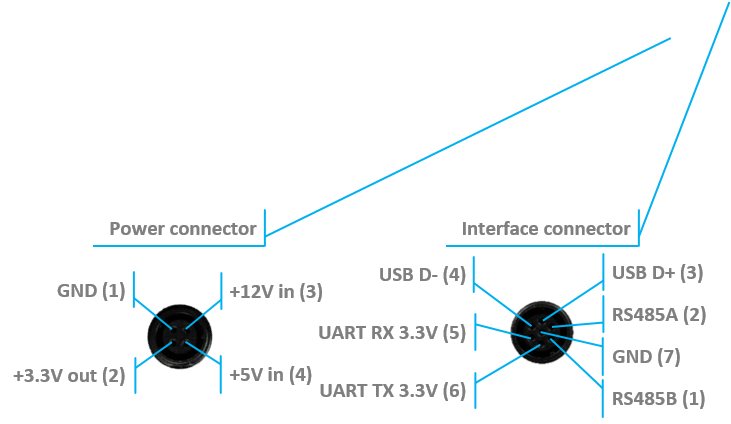
USB D+ (3)
USB D- (4)
RS485B (1)
RS485 modification pinouts (Before Sep.2019)
RS485B (1)
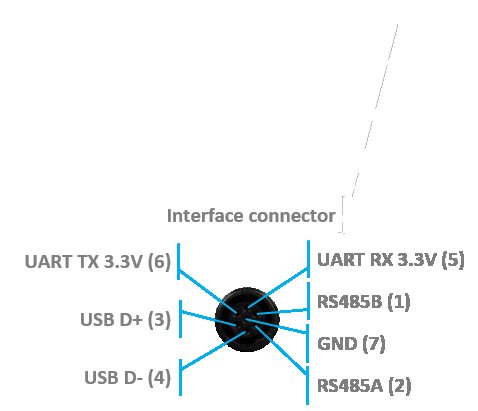
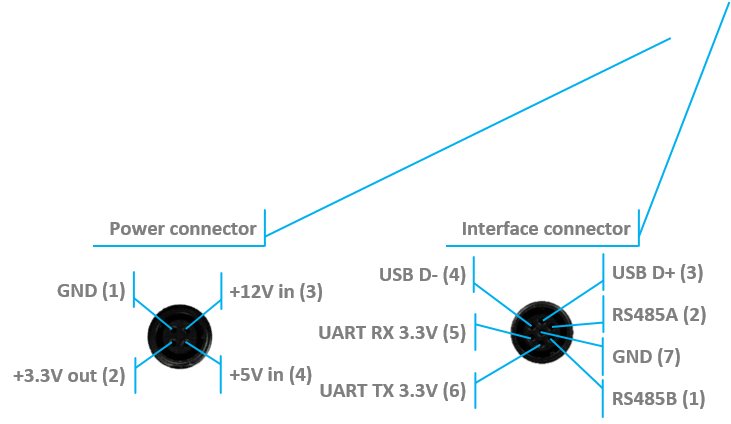
- CAN modification pinouts
- CAN H (1)
- CAN L (2)
- (4) Reset
- UART TX 3.3 V (6)
- UART RX 3.3 V (5)
- DFU (2)
1.8. UART and SPI interfaces for beacon HW v4.9
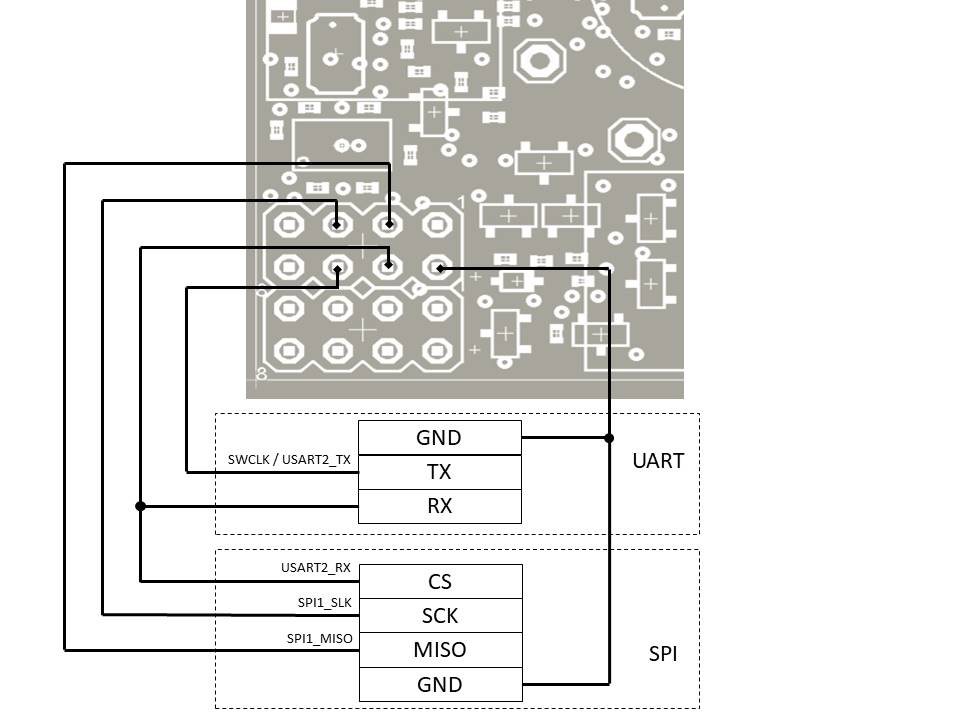 Note: As you see, the UART RX and SPI CS use the same shared pin. The function of this pin (UART receiver, SPI chip select or others) can be selected in dashboard by parameter ‘PA15 pin function’ in ‘Interfaces’ section.